
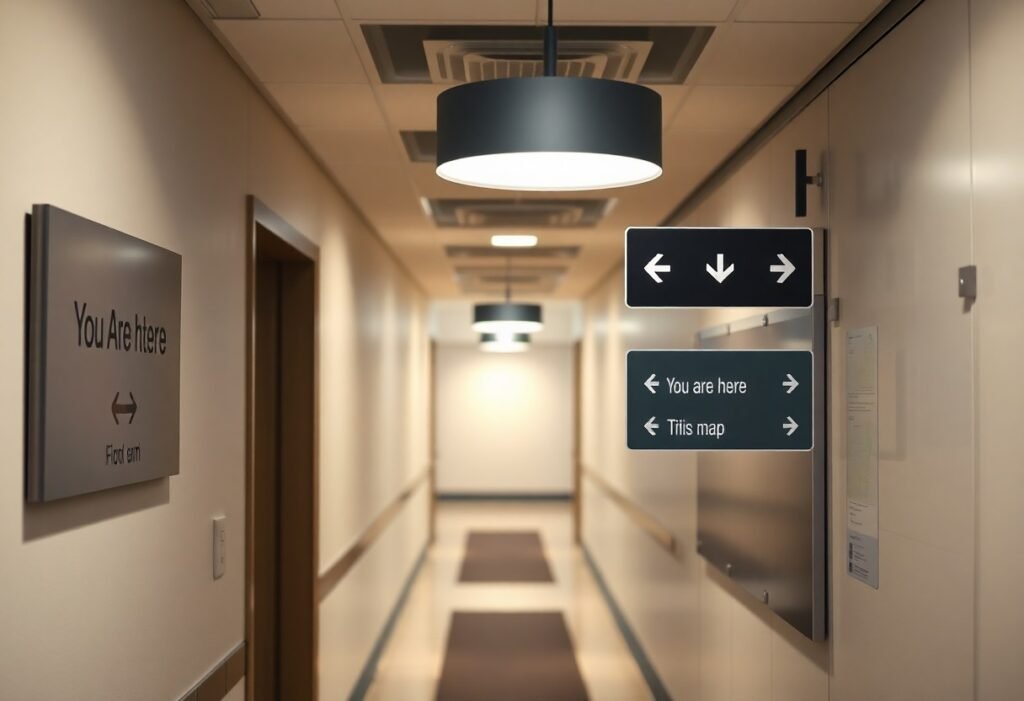
It’s imperative to align your wayfinding signage with local codes, accessibility standards, and fire and egress requirements so users can navigate safely and efficiently; you should assess legibility, mounting heights, tactile/Braille needs, illumination, materials, and placement near exits and paths of travel while coordinating with building officials and ADA guidelines to ensure compliance and minimize redesign costs.
Key Takeaways:
- Accessibility and codes – ensure signs meet local and national accessibility standards (tactile text and Braille, audible/visual requirements, required locations) and coordinate with building, fire and electrical codes.
- Legibility – use clear typefaces, appropriate character sizes for viewing distance, high luminance contrast, non‑glare finishes and adequate illumination for day/night conditions.
- Placement and sightlines – position signs consistently at predictable heights and locations, provide advance notification at decision points, and avoid obstructions that block routes of travel.
- Standardization – adopt consistent terminology, colors, symbols and hierarchy (directional, identification, regulatory) and follow recognized symbol standards (ISO/EN) where applicable.
- Durability and maintenance – select durable materials and mounting systems, plan for lighting redundancy and testing, permit access for cleaning or updates, and confirm permit/inspection requirements.
Importance of Wayfinding Signage
You rely on clear signage to reduce travel time, lower stress, and keep operations smooth; field studies report wayfinding improvements of up to 30% after targeted sign redesigns. Effective signs cut staff interruptions, decrease missed appointments, and support ADA and accessibility goals, so your signage strategy directly affects throughput, safety metrics, and customer satisfaction across airports, hospitals, campuses, and retail environments.
Enhancing User Experience
You make navigation intuitive by combining consistent iconography, high-contrast palettes (aim for a contrast ratio ≥4.5:1), and legible type-use the 1 inch of letter height per 10 feet (≈3 m) viewing rule-to reduce uncertainty. For example, unified pictograms and color bands in transit systems can increase traveler confidence and lower information-seeking calls by visibly grouping destinations and services.
Improving Navigation Efficiency
You streamline routes by applying hierarchy: primary directional signs at 15-20 m intervals, secondary decision-point signs within 2-3 m of intersections, and limiting choices to three to five options to reduce cognitive load. Integrating floor plans, consistent numbering, and destination-first copy cuts hesitation and shortens route-finding time for first-time visitors and staff alike.
You can further optimize by testing real flows: run time-and-motion audits during peak hours, track wayfinding queries, and A/B test sign variants. In practice, adding illuminated directional blades and advance signage at 20-30 m before complex junctions reduced wrong-turn rates in several campus pilots; combine that with digital wayfinding (QR maps, kiosk directions) to close gaps where static signs can’t convey situational changes.
Key Considerations in Wayfinding Signage Code
When you audit signage code, focus on jurisdictional overlaps: IBC, ADA/ABA and ICC A117.1 often impose differing mounting heights, tactile requirements, and egress needs. Prioritize permit coordination, accurate shop drawings, and maintenance planning. Also factor in illumination, vandal resistance, and integration with digital wayfinding so your signs remain legible, inspectable, and effective throughout the building lifecycle.
Compliance with Local Regulations
You must map federal, state, and municipal codes early; for example, ADA sets accessibility baselines while local planning or historic districts may restrict size, placement, and material. Submit coordinated shop drawings to building and planning departments, schedule inspections tied to certificate of occupancy, and build time for permit revisions into your timeline to avoid retrofit orders or fines.
Accessibility Standards
Follow ADA and ICC A117.1 specifics: tactile characters with a minimum 5/8″ height, Grade 2 Braille, and mounting so the tactile reading surface sits 48-60″ above the finished floor. Ensure high-contrast, non‑glare finishes, pictograms sized per guidance, and use sans‑serif legible letterforms. Validate designs with low‑vision and blind users to confirm real-world usability.
Dig deeper by specifying consistent sign location-typically on the latch side or nearest adjacent wall-and documenting tactile dimensions, Braille placement, and mounting details in shop drawings. Require durable materials and non‑glare coatings to preserve contrast, and include an accessibility checklist in design reviews tied to ADA/A117.1. Perform field audits with blind or low‑vision participants, consider supplemental audio/NFC cues for complex sites, and formalize maintenance intervals so your compliance is verifiable during inspections and remains effective over time.
Design Elements in Wayfinding Signage
Balance legibility, hierarchy and material choices to make your system work under real conditions: apply the 1″ of letter height per 10 ft viewing-distance rule, specify tactile characters 5/8″-2″ high per ADA/ABA for identification signs, and enforce a minimum contrast ratio (WCAG 4.5:1 as a practical target) to combat glare and low-light scenarios.
Typography and Color Schemes
Choose mixed-case, humanist sans-serifs (Frutiger, Helvetica, or Johnston-style) to maximize recognition; avoid all-caps for long copy. You should size type to viewing distance, control stroke width for clarity, and pick color palettes that survive common forms of color blindness-use hue plus contrast rather than hue alone; New York and London systems demonstrate how line-color coding paired with clear type improves route-finding.
Symbolism and Iconography
Adopt standardized symbols (ISO 7001/7010, AIGA) so your icons are globally legible: use simple silhouettes, consistent stroke weights, and isolated fields to prevent visual noise. You must ensure icons don’t rely on color alone, pair them with short text labels where ambiguity exists, and prioritize pictograms for high-traffic decision points like exits, restrooms, elevators and emergency equipment.
Test your pictograms with representative users: conduct quick recognition trials (20-30 participants) and iterate until you reach roughly 90%+ immediate recognition for core symbols. Also verify legibility at planned mounting heights and distances, simplify details that collapse at 10-30 feet, and document icon construction (grid, stroke, clear space) so manufacturers and maintenance teams reproduce them consistently.
Placement and Visibility of Signage
Place signage so your information is readable at the intended approach distance: use the 1 inch per 10 feet letter-height rule (2″ letters ≈ 20 ft), maintain a minimum 80 in (2030 mm) overhead clearance on accessible routes, and ensure high luminance contrast (aim for >70% difference) against backgrounds. Mount signs consistently, avoid visual clutter, and locate lighting to minimize glare so your messages remain legible under typical ambient conditions.
Strategic Locations
Position signs at primary decision points: entries, circulation cores, elevator and stair lobbies, corridor intersections, parking ramps and transit platforms. Provide advance directional signs 10-30 ft before junctions and supplemental confirmation signs immediately after turns. For lateral signs use eye‑level centerlines (typically 48-60 in / 122-152 cm) so your users see directions without craning; reserve overhead signs for long sightlines or when lateral views are blocked.
Consideration of Sightlines
Assess sightlines from typical approach vectors so your sign faces the widest cone of incoming users and avoids occlusion by columns, displays or furniture. Use the 1:10 letter‑height rule to match viewing distance (e.g., 3″ letters for ~30 ft), favor pictograms for quick recognition, and place confirmation signs at 0-5 ft after decision points so your users get immediate feedback that they chose correctly.
Map user paths and run quick sightline checks in plan and section-use simple string tests or BIM views to spot blocked angles. In multi‑level atria, rely on overhead blades and color‑coded floor bands where lateral sightlines fail; control glare with matte finishes and directional lighting, and test simulated viewing at peak crowding to ensure your signage remains visible from intended distances.
Maintenance and Upkeep of Signage
Schedule inspections quarterly for most facilities and monthly in high-traffic or exterior locations; log each check with date, inspector name, and a photo to track wear, graffiti, bulb life, tactile legibility, Braille condition, and mounting hardware. Prioritize illuminated signs, exit routes, and accessible signage, and set routine actions-cleaning, bulb replacement (typically every 2-3 years for fluorescent/LED fixtures depending on hours), and touch-up painting-to prevent code violations and wayfinding failures.
Regular Inspections
You should inspect for legibility, contrast, tactile depth, Braille clarity, illumination, secure mounting, and vandalism on a set schedule; check tactile characters with a 3D gauge and Braille dot height against ICC A117.1 where applicable. Use a checklist and mobile photos to create a change log, and escalate safety or egress sign defects for repair within 48-72 hours to maintain compliance and occupant safety.
Updating Outdated Information
When rooms, departments, or circulation paths change, update signs promptly-ideally within 30 days-since outdated info increases travel time and liability. Use modular sign systems, replaceable panels, or digital displays to cut update time; keep a master inventory tied to your facilities management system so you can batch-order inserts and ensure wording matches floor plans and emergency diagrams.
Implement a change-control workflow: request, approve, schedule, install, and verify, with the facilities team assigning priority levels (A for egress/accessibility, B for tenant directories, C for branding). Maintain versioned records and a map of sign types and locations, train vendors on tactile/Braille spec compliance, and use temporary overlays or QR-enabled links for immediate notices while permanent replacements are produced.
Technology Integration in Wayfinding Signage
Integrating tech lets you push real‑time updates, tie signage to building systems, and remain compliant with accessibility guidance such as Chapter 7: Signs; choose displays with 400-700 cd/m² luminance for bright atriums, use a CMS to publish changes in seconds, and plan power/data pathways early to avoid costly retrofits when adding LED, e‑ink, or touch hardware.
Digital Signage Solutions
You should specify screen size (32-55 inches for lobby wayfinding), resolution (1080p minimum, 4K for detailed maps), and brightness (500+ nits outdoors) while selecting a CMS that supports scheduling, templating, and emergency override; prefer commercial‑grade LED panels with 50,000+ hour MTBF and networked health monitoring to minimize downtime and compliance gaps.
Interactive Wayfinding Options
You can deploy touch kiosks, QR‑enabled maps, or smartphone‑first routes using HTML5 web apps; Bluetooth Low Energy beacons and Wi‑Fi RTT provide indoor positioning with roughly 1-3 meter accuracy, while APIs let you integrate room occupancy, event schedules, and elevator status into dynamic routes for users.
For accessibility, your interactive solutions must implement WCAG 2.1 AA interfaces, tactile or raised start points on kiosks, screen‑reader compatibility, and audio prompts (70-85 dB output) for ambient noise; also plan for maintenance – remote software updates, beacon battery replacement cycles (6-24 months), and a fallback static signage strategy during outages.
Final Words
Conclusively you should prioritize clear legibility, consistent symbology, compliant dimensions and mounting heights, ADA requirements, illumination and durable materials, and permitting and inspection processes; coordinate signage with building and fire codes, ensure contrast and tactile features, document locations and maintenance schedules, and engage stakeholders early so your wayfinding meets legal standards and supports safe, intuitive navigation.
FAQ
Q: What accessibility requirements in building and wayfinding codes should I follow?
A: Follow requirements from the Americans with Disabilities Act (ADA) Standards and local accessibility codes: tactile text and Grade 2 Braille for room and directional signs, character height and stroke width minimums, high-contrast non-glare finishes, and mounting height with the tactile characters’ baseline between 48 in and 60 in above the finished floor. Provide clear floor-level contrast for hazard markers, ensure pictograms meet size and field clearance rules, and include audible or electronic wayfinding where codes or site conditions require them. Verify local amendments to national standards and include accessibility checks in design reviews and field verification.
Q: How do codes influence sign placement, mounting heights, and sightlines?
A: Codes dictate mounting heights for both tactile signage and directional signs, required clear floor space for approach and touch, and minimum clearances from doors and corridors to avoid blocking egress. Provide unobstructed lines of sight from primary circulation paths; place signs at decision points and at consistent heights for predictable viewer expectation. For exterior wayfinding, meet local zoning setbacks and visibility triangles, and ensure signs do not obscure traffic sightlines or conflict with street-lighting codes.
Q: What material, durability, and finish standards are addressed by codes?
A: Codes and standards call for durable, non-reflective finishes for tactile readability, fire-rated materials where required by building and fire codes, and weather-resistant assemblies for exterior signs with specified IP ratings for electrical components. Use materials that maintain contrast and tactile clarity over time and are resistant to vandalism and graffiti when required. For illuminated signs, meet UL listing requirements and use wiring and enclosures compliant with the electrical code and local inspection standards.
Q: What illumination and contrast rules do wayfinding codes require?
A: Provide sufficient luminance and contrast so signs are legible under ambient conditions; tactile signs generally must be non-glare and have a high contrast between characters and field. Illuminated signs must comply with electrical and energy codes, avoid excessive glare into adjacent spaces, and include emergency lighting or photoluminescent options where power loss would compromise egress or wayfinding. Exterior signage lighting must meet local light-pollution and historical district standards if applicable.
Q: What permitting, documentation, and code coordination should be planned during design and installation?
A: Obtain sign permits and building/fire approvals early; submit signage plans with dimensions, mounting details, materials, illumination specs, and ADA compliance notes. Coordinate with accessibility consultants, code officials, fire marshals, and historic review boards where applicable. Keep a signage schedule, as-built drawings, maintenance plan, and fabrication templates for inspection and future updates. Verify final installations with field measurements and sign-off by the authority having jurisdiction before occupancy or public use.