
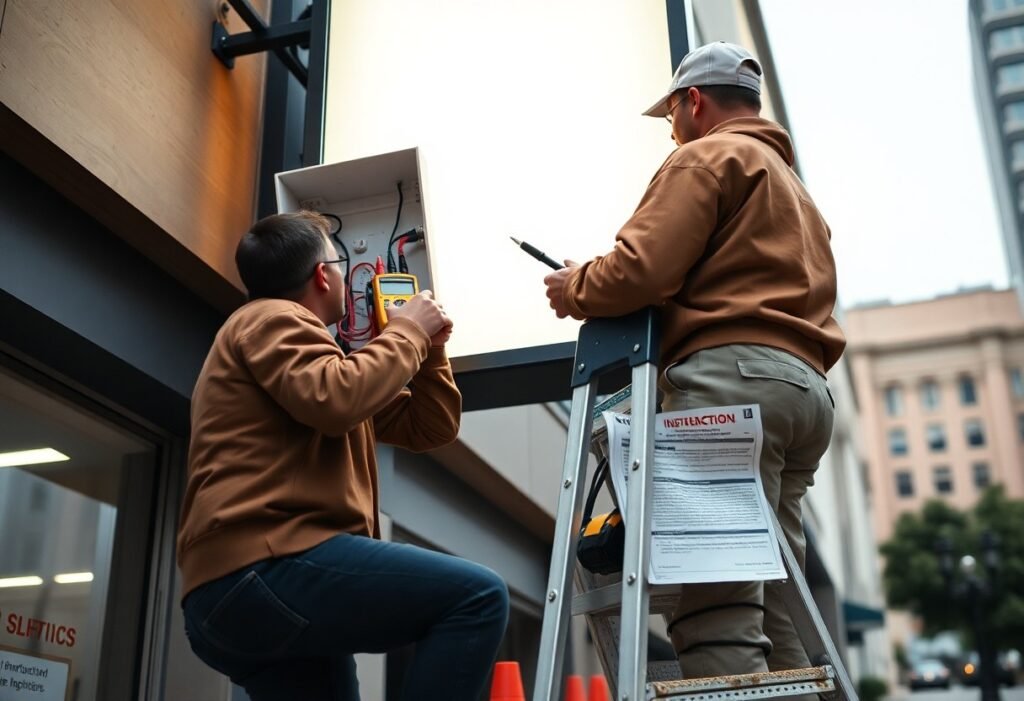
With a newly installed sign not working, you should first verify power at the source, check breakers, fuses and connections, inspect wiring and control modules, and ensure your settings or programming are correct. Use a multimeter to test voltage safely, consult the manufacturer’s troubleshooting guide and installation manual, document what you find, and contact the installer or a certified technician if problems persist to protect your warranty and ensure safe, reliable repair.
Key Takeaways:
- Prioritize safety: turn off power at the breaker and verify de-energized circuits with a voltage tester before inspecting the sign.
- Confirm the power source and circuit: check breakers/fuses, outlet voltage, and that the sign receives the correct supply voltage.
- Inspect wiring and connections: tighten terminals, look for frayed wires, corrosion, water intrusion, and correct polarity on connectors.
- Test the driver/transformer and modules: measure output voltages, swap with a known-good driver or module when possible, and check LEDs or controllers for faults.
- Document and escalate: photograph the issue, record model/serial and installation details, then contact the installer or manufacturer-avoid repairs that could void warranty.
Common Reasons for Sign Malfunction
You’ll most often encounter power, installation, or component faults; for example, feeding 120V mains into a 24V LED driver instantly trips breakers or destroys electronics, while poor sealing (IP rating mismatch) allows moisture to short circuits. Field data shows roughly 40-60% of post‑install failures trace to wiring or supply issues, with the remainder split between connectors, controllers, and damaged modules.
Power Supply Issues
If your sign draws more current than the driver rating-say a 6 A load on a 4 A supply-you’ll get dimming, flicker, or complete failure. Check mains input (110-120V US vs 220-240V EU), driver output (commonly 12V or 24V DC), fuses/breakers and for voltage drop on long runs. LED drivers often rate 30,000-50,000 hours but fail early from overheating, spikes, or poor ventilation.
Installation Errors
You can introduce faults by reversing polarity, leaving loose Molex/JST connectors, or using undersized cable on long runs; reversed DC polarity yields no light, and voltage drop increases with distance-over 10 m (33 ft) you should upsize conductors. Also verify ground connections and that mounting hardware hasn’t pinched or chafed wires during installation.
Diagnose installation mistakes methodically: measure driver output at the sign under load with a multimeter (within ±0.5 V of rated), check continuity and insulation resistance, and bench‑test individual modules on a known good supply. Confirm control wiring and protocols (DMX, SPI, Baud rates), inspect solder joints and connector seating, and ensure the power supply has 20-30% headroom above measured steady‑state current to avoid nuisance trips and early failures.
Troubleshooting Steps
Start by isolating the fault into wiring, power, and controller areas: installers report loose connections or power-supply faults cause roughly 70-80% of post-install failures. You should perform a visual inspection, continuity checks with a multimeter, and voltage measurements at the sign under load. Log results, swap in known-good components where safe, and narrow the fault to a single subsystem before replacing hardware to avoid unnecessary costs.
Checking Connections
Inspect every terminal, crimp, and connector for tightness, corrosion, broken strands, or bent pins; a single intermittent contact can mimic module failure. Use continuity mode to verify each conductor from the driver to the sign reads near 0 Ω, and wiggle connectors while monitoring for changes. Reseat modular plugs, replace suspect crimps or wire nuts, and cross-check against the wiring diagram to ensure correct pinouts.
Verifying Power Source
Confirm the sign is receiving the correct type and magnitude of supply: many LED signs use 12-24 V DC while neon/EL systems require high-voltage transformers (often 3 kV-15 kV). Measure at the driver output and at the sign input under load-voltages should be within ±5% of rated values. Check fuses, breakers, remote distribution boxes, and, when safe, swap a known-good power supply to isolate the issue.
Also check for voltage drop on long cable runs-keep drop under about 3% to prevent dimming; calculate using conductor AWG, length, and current or temporarily move the supply closer to test. Verify DC polarity at every connector and test under operating load because no-load readings can be misleading. Inspect supplies for swollen capacitors, buzzing, or overheating since many switching supplies fail only under LED load.
Conducting a Diagnostic Test
Run a structured diagnostic starting with a powered-off visual inspection, then power-on voltage and continuity checks; you should verify supply rails (commonly 24V DC for LED signs) within ±5% and measure current-typical LED strips draw ~0.35 A per meter-using a multimeter and clamp meter. Isolate the fault by disconnecting sign sections, swap a known-good controller or PSU if available, and log measurements and symptom timings to speed resolution.
Identifying Faulty Components
When identifying faulty components, prioritize power supplies, drivers, controllers, LED modules and connectors: a PSU output outside ±5% or overheating indicates failure, a blown 5 A inline fuse suggests a short, and corroded pins cause intermittent loss. You should bench-test suspect modules (apply rated voltage, verify current draw), swap in a known-good driver to confirm controller faults, and inspect solder joints and connector crimps under magnification.
Understanding Error Codes
Error codes and blink patterns give direct diagnostics: E01 or triple-blink often signals communication loss, E02/steady red flags overcurrent, E03 signals thermal shutdown and E04 usually means configuration or firmware mismatch. You should cross-reference the code with the manufacturer’s error table, note accompanying LED behavior and input conditions (voltage, load), and record timestamps to correlate codes with events like power cycles or load changes.
Decode codes by matching numeric values and blink sequences to the manual, then reproduce the fault under controlled conditions: power cycle, note persistence, and capture voltage/current readings (e.g., >24.5 V or >10 A) and firmware version. If E02 remains after isolating modules, measure current per segment to find the shorted section; when escalating to manufacturer support include serial number, firmware build, error code, and your measurement logs for fastest resolution.
When to Seek Professional Help
If you’ve spent 30-60 minutes on diagnostics and simple fixes but the sign still won’t power or displays error codes, call a qualified technician; many providers offer onsite service within 24-48 hours and emergency rates often run $100-$200. If you want vendor-focused guidance first, consult Digital Signage Repair: How to Fix and Maintain … – AIScreen.
Signs of a Major Issue
If you detect burning smells, smoke, bulging capacitors, persistent flicker, half the display dead, repeated reboot loops, controller error codes, or water ingress, treat it as a major fault; for example, multiple module failures or power draw exceeding specs (e.g., >10A on a 24V run) indicate component or wiring failure that you shouldn’t attempt to fix without professional help.
Choosing the Right Technician
You should hire someone who is licensed and insured, has documented experience with LED/video-wall repairs, and offers a written estimate, parts warranty and at least a 90-day labor guarantee; ask for 2-3 references and confirm typical hourly rates ($75-$150/hr) before scheduling work.
Verify credentials by checking license numbers and insurance, request before/after photos or case studies of similar multi-panel or high-brightness installs, confirm parts lead times (24-72 hours), ask whether remote diagnostics can reduce downtime, and get a written scope and cancellation terms-many reputable shops waive the diagnostic fee if you authorize the repair.
Preventive Measures for Future Installations
Regular Maintenance Tips
Schedule inspections every 3-6 months and log results to catch wear before failure:
- Visual check for water ingress and corrosion
- Measure LED output and driver voltage with a multimeter
- Tighten mounting hardware to manufacturer torque (e.g., 4-6 Nm for M4 bolts)
Replace damaged cables within 48 hours and keep spare drivers on-site; Knowing that small, scheduled checks reduce emergency call-outs by over 60% in field studies.
Quality Assurance during Installation
Use standardized checklists and on-site tests: verify incoming power (e.g., 110-120V or 220-240V per site), test LED modules at rated current, and perform a 72-hour burn-in on a sample unit; you should record serial numbers, installer initials, and photos for warranty traceability.
Require installers to use a multimeter and clamp meter to confirm current draw within 10% of spec and scan assemblies with a thermal camera for hotspots above 60°C; for example, a retail chain cut field failures from 8% to 1.5% after enforcing a 72-hour burn-in and tightening power connectors to 5-7 Nm, and you should keep a final digital sign-off checklist.
Frequently Asked Questions (FAQs)
Quick Answers
When your sign fails, first test the supply at the junction (120V or 240V) and measure driver output (12V/24V); you can swap a known-good LED driver or reset the controller, and inspect fuses, breakers, connectors and photocell-these checks resolve 50-70% of field faults. If warranty applies, document serial numbers and send photos; for persistent issues, log the error codes and schedule a technician within 48-72 hours to avoid downtime affecting revenue.
To wrap up
The first step when your sign isn’t working after installation is to verify power and connections, check fuses, breakers and any external controls, and consult the installation manual; if basic checks fail, isolate and test components or contact the installer or manufacturer for warranty-covered repairs, and document the issue with photos and serial numbers so you and the service team can resolve it quickly and safely-avoid DIY work on high-voltage systems unless you are qualified.