
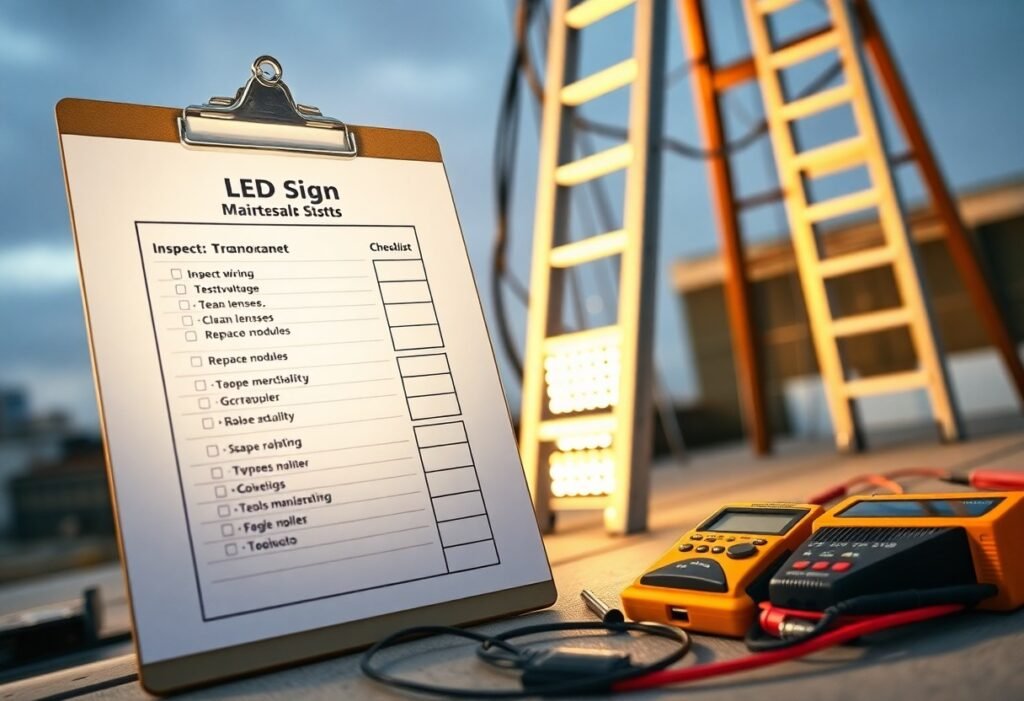
With scheduled inspections and a documented plan you keep your LED sign safe, bright, and long-lasting; your checklist should include visual inspections, LED module and power supply tests, wiring and connection checks, cleaning and lens care, weatherproofing and seal integrity, firmware and controller updates, brightness and color calibration, mounting hardware and grounding verification, spare parts inventory, maintenance logs, and safety procedures for working at height or during power work.
Key Takeaways:
- Perform regular visual inspections for burnt-out LEDs, uneven brightness, physical damage, moisture intrusion, and loose mounting hardware.
- Establish a cleaning schedule using manufacturer-approved cleaners and soft tools; avoid high-pressure washing and abrasive materials.
- Check electrical components: wiring, connectors, power supplies, fuses, surge protection, and grounding for wear or corrosion.
- Maintain control systems: update firmware, verify scheduling and brightness settings, and monitor remote diagnostics and error logs.
- Keep detailed maintenance records, spare parts inventory, and follow safety procedures (lockout/tagout) and seasonal maintenance tasks.
Importance of Regular Maintenance
Regular maintenance preserves your LED sign’s performance and prevents sudden outages that hurt visibility and brand perception. LED modules typically rate 50,000-100,000 hours; without scheduled cleaning, moisture checks, and firmware updates you accelerate lumen depreciation and risk voiding manufacturer warranties. Routine attention also keeps electrical connections and IP-rated seals intact, reducing fire and liability exposure.
Benefits of Routine Checks
By inspecting your sign quarterly you catch failing drivers, loose connectors, and water ingress early, keeping brightness uniform and colors accurate for customers. Small actions-replacing a $20 driver or resealing a gasket-avoids module replacements that can cost $200-$800 each. Field technicians also log run-hours and error codes, giving you predictable service windows instead of emergency callouts.
Cost-Effectiveness of Maintenance
Planned maintenance lowers total lifecycle cost: scheduled inspections and minor part replacements usually run a fraction of unplanned repairs and premature replacements. For example, a $150 quarterly service plan can prevent module or power-supply failures that would otherwise trigger $1,000-$3,000 emergency fixes and lost advertising time. That predictable spend improves budgeting and warranty compliance.
To quantify ROI, compare maintenance fees to deferred capital expense: if a $300/year maintenance program extends sign life by 3 years and defers a $2,400 replacement, you effectively save $800/year. Tracking metrics-mean time between failures, repair costs, and energy usage-lets you prove savings over time and justify increasing inspection frequency for high-profile or 24/7 installations.
Visual Inspection Checklist
When conducting a visual inspection, you should scan the entire sign monthly, spending 10-15 minutes on a basic check and a more detailed 1-2 hour review quarterly. Photograph defects, log burnt-out pixels, moisture beads, loose fasteners, or faded graphics, and compare current photos to previous records so you can detect gradual deterioration early.
Checking for Physical Damage
Inspect for cracks, dents, loose trim, corroded fasteners, and torn weather seals; even a 1 mm gap in the face can admit moisture. You should perform checks with appropriate fall protection, tighten mounting bolts per manufacturer guidance, and replace cracked acrylic, bent brackets, or missing hardware within 30 days to avoid enlargement of the issue.
Assessing LED Brightness and Color
Use a handheld lux meter and a visual grid to sample brightness across the face, aiming for under 10% variance between zones; note any dim clusters or single LED failures. Also watch for color shifts-yellowing or a green tint often signals aging or driver issues-triggering further testing or module replacement if average output falls below about 70% of the original.
Power the sign for 15 minutes before measurements so LEDs stabilize, then take readings at center and each quadrant from a consistent distance (for example, 3 m). Use a spectrometer or colorimeter to check CCT and chromaticity against manufacturer specs (Δu’v’ tolerance commonly ≤0.005). Log lux and chromaticity values each inspection to track lumen depreciation; if drift exceeds spec or you see >20% lumen loss, plan module replacement or driver adjustment.
Electrical Components Assessment
You should methodically verify every electrical element: confirm LED driver ratings, capacitor condition, connector integrity and cable sizing against your sign’s measured current. For example, check that your DC rails are within 10-15% of nominal (12V or 24V systems) and that drivers are sized with ~25% headroom to avoid chronic overload; note bulging caps or scorched terminals as immediate failure indicators.
Inspecting Wiring Connections
When you inspect wiring, tighten terminal screws, probe crimp joints and look for corrosion or insulation damage, especially at feed points and splices. Use a multimeter to measure voltage drop – on a 12V run anything over ~0.5V under load signals a problem – and verify wire gauge matches current demands to prevent hotspots and intermittent contact that cause flicker or failures.
Testing Power Supply Systems
Start by measuring no-load and loaded output voltages, then compare against the driver’s spec; a healthy supply should stay within its tolerance (often ±5-10%) and show minimal ripple. You should also confirm the supply’s wattage exceeds measured sign draw by ~25% and monitor operating temperature-supplies running above 50°C frequently indicate impending failure.
For deeper testing, apply a calibrated electronic load equal to the sign’s running current and record voltage and ripple with an oscilloscope; acceptable ripple for most LED drivers is under ~200mVpp. In one storefront retrofit you’d notice, a PSU sagging from 24.0V to 20.8V under load (a 13% drop) traced to failing electrolytics-replacing the driver eliminated flicker and extended module life.
Software and Firmware Updates
You should schedule software and firmware updates to prevent performance degradation and security holes. Install vendor-released patches (many vendors publish monthly releases) after testing in a staging controller, and aim to apply security fixes within 30 days. Keep configuration backups and note firmware IDs (e.g., v2.4.1) so you can roll back if needed. See Sign Maintenance, Keeping Your Signage Looking Fresh for maintenance workflows.
Ensuring Latest Versions are Installed
Check release notes to confirm fixes and compatibility before upgrading. Record your controller’s current version number, verify firmware checksums or digital signatures, and test upgrades on a single unit or staging rack. For high-traffic locations update monthly; otherwise quarterly audits work. Always backup your LED layouts and network settings; maintain a changelog with dates and technician initials to meet warranty requirements and simplify troubleshooting.
Troubleshooting Common Software Issues
When signs misbehave focus on logs, network, and recent updates: boot loops, pixel-mapping errors, and time-sync failures are frequently reported by field teams. Check controller logs for error codes, confirm NTP synchronization, and temporarily revert to the previous firmware if a recent update correlates with the fault. Use local control to isolate network variables and document your error codes for vendor support.
Gather diagnostic files (syslog, event logs, and the controller’s firmware ID) before making changes. Connect via serial or USB for low-level access, reflash using vendor tools and validated images, and keep a config snapshot to restore layouts post-flash. In one example, technicians resolved intermittent flicker by rolling back from v2.5.0 to v2.4.1 and reapplying a corrected LED mapping file; you should pilot fixes on one sign and allow 24-48 hours of observation before site-wide deployment.
Cleaning and Environmental Care
Schedule light wipe-downs monthly and a deeper clean every 6-12 months to prevent grime buildup that reduces brightness by up to 20%. When you inspect, note seal integrity, lens scratches, and insect ingress; document with photos and date-stamped notes. Use a checklist so technicians follow the same sequence-power isolation, external cleaning, gasket check, and moisture verification-so nothing is missed during routine service.
Safe Cleaning Procedures
Always de-energize the sign and lock out the circuit, then verify 0 V with a meter before touching lenses or housings. Use microfiber cloths, a mild pH-neutral detergent diluted in distilled water, and avoid ammonia or solvent cleaners that can etch polycarbonate. Work from top to bottom, keep liquid away from vents and connectors, and dry with lint-free towels; use insulated ladders and PPE when working above 3 meters.
Protecting from Environmental Factors
Prioritize an enclosure rating of IP65 or higher for outdoor installations and replace silicone gaskets every 2-3 years to prevent moisture intrusion. Apply UV-stable lens materials or add a UV-blocking clear coat to slow photodegradation, and fit drainage channels or raised mounting to avoid splash and pooling. Monitor for bird nesting and road-salt exposure after winter storms to adjust maintenance frequency.
- Power down and follow lockout/tagout procedures before any cleaning task.
- Use distilled water with a mild detergent and soft microfiber; rinse thoroughly and dry immediately.
- Avoid pressure washers and abrasive pads that can damage diffusion layers and LEDs.
- Inspect seals, vents, and conduit entries for gaps or corrosion during each cleaning.
- Recognizing seasonal spikes-increase cleanings after pollen season, heavy storms, or road-salt application to protect optics and electronics.
To further limit environmental damage, apply conformal coating to internal PCBs and route venting so warm air exits without drawing moisture in; desiccant packs inside the housing help control humidity and should be replaced annually. Choose marine-grade fasteners in coastal locations and test a sample unit after applying any protective coating to confirm no optical distortion or heat-trapping occurs, then roll the solution out across your fleet.
- Select UV-resistant materials (UV-stabilized polycarbonate or acrylic) for lenses to retain color and clarity longer.
- Ensure mounting allows airflow and keeps the lower edge at least 30 cm above surfaces prone to splashing.
- Use corrosion-resistant hardware such as 316 stainless steel in coastal or industrial environments.
- Install humidity or moisture sensors in large signs so you can log ingress events and respond faster.
- Recognizing local climate demands-coastal salt spray and high-humidity zones require more frequent inspections and corrosion mitigation measures.
Record Keeping and Documentation
Keep a centralized, date-stamped archive of inspection reports, parts receipts, calibration data and photos so you can analyze failures over time; include driver model numbers, module serials, measured voltage/current, ambient temperature, runtime hours and retain records for at least 3 years to support warranty claims and trend analysis.
Maintenance Logs
Use standardized logs to record date, technician name, task performed, measured values (V, A, lux), component part numbers and before/after photos; schedule entries for monthly brightness checks and annual driver replacements, and consider a spreadsheet or CMMS like Fiix or UpKeep to filter by sign, location or fault code.
Tracking Repairs and Upgrades
Assign unique ticket numbers to each repair and log root cause, corrective action, parts used and labor hours so you can quantify repeat failures-for example, if the same module fails three times within a year, replace the entire board instead of swapping individual LEDs.
Also record vendor contact, warranty expiration and invoice references in each ticket so you can escalate claims quickly; track upgrade costs versus energy savings (replacing 50W modules with 30W equivalents reduces power draw by ~40%), and compile annual KPIs like MTBF, mean time to repair and total downtime hours to justify capital replacements.
Conclusion
As a reminder you should inspect the face and mounting for damage, test LEDs and power supplies, verify wiring and seals, clean lenses, confirm brightness, update firmware and timers, check weatherproofing and grounding, and log repairs and schedule preventive checks so your sign stays safe, reliable, and long-lasting.
FAQ
Q: What daily and weekly visual inspections should be included on an LED sign maintenance checklist?
A: Inspect the display for dead or dim modules, color shifts, flicker, and pixel abnormalities; check mounting hardware, brackets, and fasteners for looseness or corrosion; examine the sign face, lenses, and bezels for cracks, clouding, or water intrusion; verify seals, gaskets, and vents are intact and free of debris; scan for bird nests, insect buildup, or vegetation encroachment; confirm enclosure doors close properly and that any indicator lights or status LEDs on control equipment show normal operation.
Q: What cleaning procedures and materials should technicians use to safely clean an LED sign?
A: Power down and isolate the sign before cleaning; use soft, lint-free cloths or microfiber and a mild, pH-neutral detergent diluted in water for front panels and bezels; avoid ammonia, solvents, abrasive pads, and high-pressure washers that can damage LEDs and seals; clean vents and cooling fins with compressed air or soft brushes, keeping moisture away from control electronics; dry surfaces completely before re-energizing and document cleaning chemicals and methods used.
Q: Which electrical and electronic checks belong on the checklist?
A: Verify all electrical connections are tight and free of corrosion, inspect wiring and conduit for abrasion or rodent damage, check fuses, circuit breakers, power supplies, LED drivers, and transformers for nominal operation, measure input and output voltages against manufacturer specs, test surge protection and grounding continuity, confirm control cabinet ventilation or cooling fans operate, and review error logs or status messages from the sign controller. Replace failing components on a defined threshold rather than waiting for total failure.
Q: What preventive maintenance tasks help extend the life and reliability of an LED sign?
A: Schedule regular tightening of fasteners and checks of mounting points; inspect and refresh sealant or caulking around seams and access panels; replace worn gaskets and weatherstripping; service or replace filters and cooling fans; apply UV-resistant coatings where recommended; keep firmware and control software updated according to vendor guidance; maintain an organized spare-parts kit (power supplies, drivers, modules, fuses) and a planned replacement timeline for components reaching expected end-of-life.
Q: What documentation, testing, and recordkeeping should be part of the maintenance checklist?
A: Log each inspection and maintenance action with date, technician name, findings, corrective actions, and photos; record serial numbers and installation dates for key components; perform and document functional tests (full-screen color patterns, brightness/photometer readings, and synchronization checks) after repairs; maintain a spare-parts inventory and warranty tracking sheet; include a risk and emergency response plan with supplier contact info and escalation steps for power or display failures.