
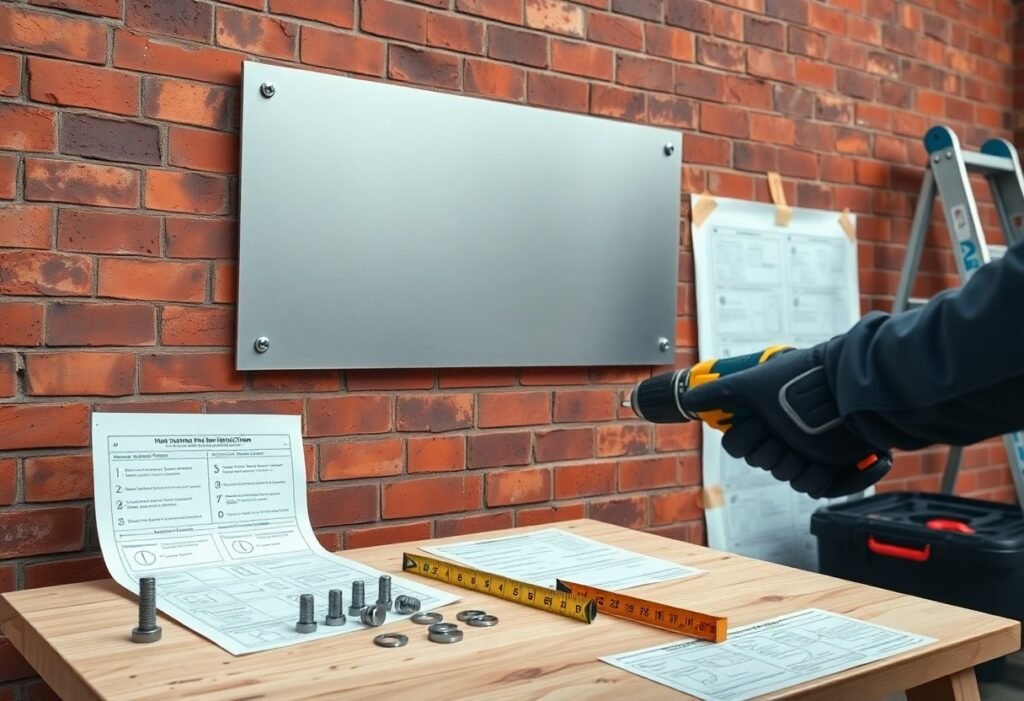
Many beginners underestimate planning: you need to assess the site, check local permits and regulations, choose materials and mounting hardware matched to wind and substrate, measure and mark precisely, use proper tools and PPE, verify electrical connections for illuminated signs, and test stability and alignment before final fastening; document installation and schedule routine maintenance to extend sign life and ensure safety.
Key Takeaways:
- Assess the site: verify structure, clearances, sightlines, wind load and access for installation equipment.
- Confirm permits and codes: check zoning, building and electrical permits, utility locates, and signage restrictions.
- Use proper tools and safety gear: appropriate anchors, mounting hardware, ladders or lifts, PPE and fall protection.
- Match mounting method and materials to sign type and load: wall, pole or bracket mounts; corrosion‑resistant fasteners and weather‑rated materials.
- Verify electrical and secure fastening: level and anchor the sign, seal penetrations, test lighting/electrical connections and plan regular inspections.
Types of Signs
Expect five common sign types that you’ll plan for differently: illuminated, non‑illuminated, channel letters, monument, and pylon. Each has distinct power, mounting and permitting needs-for example, channel letters often require 120-277V and LED modules lasting ~50,000 hours, while monument signs commonly sit under 6 ft and need concrete footings. You should match materials and attachment methods to wind load, sightlines, and local codes.
| Illuminated Signs | LED or neon lightboxes; require electrical feed, typically 10-500 W depending on size; night visibility 100-500 ft |
| Non‑Illuminated Signs | Printed, routed or painted panels (ACM, HDU, PVC); lower power needs, lifespan 5-15 years |
| Channel Letters | Individual 3D letters; often LED modules, requires raceway or back‑mounted wireway and service access |
| Monument Signs | Low roadside signs on concrete base; structural footing, landscaping, and visibility triangles matter |
| Pylon/Blade Signs | Tall freestanding signs (10-40+ ft); significant foundation work and strict zoning review |
- Consider electrical routing, transformer placement, and access panels for illuminated units.
- Verify substrate and anchor type-masonry, steel, or wood affect fasteners and backing.
- Budget for permits and inspections; pylon signs often require structural engineer stamps.
- Factor in maintenance cycles: LED modules ~50,000 hours; paint or vinyl may need refresh every 5-10 years.
- Any mounting plan should document hardware type, corrosion protection, and expected inspection intervals.
Illuminated Signs
When you specify illuminated signs, opt for LEDs to cut energy use by roughly 50-80% versus legacy neon and to gain ~50,000‑hour lifespans; a typical 8 ft backlit panel draws 50-200 W depending on brightness. Installers must route a dedicated circuit, include a labeled disconnect, and verify glare limits for nearby residences-one retail center swapped neon to LEDs and reduced night energy costs by ~70% while improving legibility at 300+ ft.
Non-Illuminated Signs
For non‑illuminated signs you’ll choose materials like ACM, routed HDU, or high‑density PVC and finishes such as UV‑stable digital print or baked enamel; these often last 5-15 years based on exposure. Designers favor non‑lit signs for plazas and historic districts to avoid electrical runs and satisfy stricter aesthetic codes.
Installations of non‑illuminated panels hinge on fastening method: use stainless steel through‑bolts into a structural backing, z‑clips for flush mounting, or studs with backing plates for wind loads. You should seal edges with exterior silicone and apply UV inhibitors for coastal sites; expect repaint or reface cycles every 5-10 years depending on sun and salt exposure. Any maintenance program must list inspection intervals, replacement thresholds, and approved fastener specs.
Factors to Consider
Weigh practical constraints against your branding needs when choosing sign specs; factor in structural clearances, access for lifts, inspection routes, and long‑term maintenance. Consult local zoning and electrical codes early to avoid revisions, and check vendor warranties and lead times. Perceiving how viewing distance, traffic speed and lighting affect readability helps determine size, font, and illumination.
- Location & visibility
- Material & durability
- Permits & codes
- Mounting, wind load & clearances
- Illumination & power supply
Location and Visibility
Place signs where sightlines are unobstructed and approach speeds match viewing distances; use the 1″ per 10′ rule for letter height (100 ft ≈ 10″ letters). Position pedestrian signs at eye level and road signs higher with appropriate setback, factor in glare and backlighting for night use, and verify sight triangles and clear zones per local DOT or municipal standards to avoid obstructions from landscaping or parked vehicles.
Material and Durability
Choose materials based on exposure: aluminum and Dibond resist corrosion and often last 20+ years, acrylic faces deliver crisp graphics but generally last 7-15 years outdoors, and polycarbonate offers impact resistance for high‑vandal areas. For illuminated signs select UV‑stable diffusers and LED modules rated ~50,000 hours to balance brightness and lifecycle costs.
In coastal or chemically harsh sites you should specify marine‑grade alloys (6061‑T6 aluminum or 316 stainless), request anodizing or polyester powder coat with a 3-5 mil film for UV and salt resistance, and use stainless fasteners plus sealed enclosures rated NEMA 3R/4X. Also plan maintenance intervals-clean vinyl faces annually, inspect LEDs and drivers every 3-5 years-and set replacement windows: graphics 5-7 years, structural panels 15-30 years depending on finish and exposure.
Step-by-Step Installation Process
| Step | Action |
|---|---|
| 1 | Survey site, obtain permits, measure and mark mounting points |
| 2 | Select anchors and fasteners based on substrate and sign weight |
| 3 | Drill pilot holes, install anchors, use a level and template |
| 4 | Secure sign with washers/locknuts, torque to spec, check alignment |
| 5 | Seal penetrations, test stability, document installation for maintenance |
Preparation and Planning
You should verify zoning and obtain any permits, then measure the mounting surface precisely; for example, a 4’×2′ aluminum sign usually weighs 10-15 lb so plan for three anchors spaced 16-24″ apart. Check substrate type-concrete, wood stud, or hollow wall-because anchor choice changes: wedge anchors for concrete, lag screws into studs, or toggle bolts for hollow walls. Prepare a paper or plywood template to mark holes and keep a list of required tools and torque specs before you start.
Mounting and Securing
Begin by using a level and the template to mark holes, then drill with the correct bit size-match the anchor diameter (e.g., 3/8″ bit for 3/8″ sleeve anchors). Use stainless steel fasteners (1/4″-5/16″ typical) and place anchors every 16-24″ for medium signs; larger, wind-exposed signs need closer spacing and 5/16″-3/8″ hardware. Tighten with washers and locknuts until snug, avoid over-torquing, and confirm lateral and vertical alignment before final sealing.
For added protection, apply a silicone sealant around fastener heads and through-bolts to prevent water ingress. When working with hollow walls, use backing plates or spreader plates behind the sign to distribute load; aim for edge clearance at least twice the anchor diameter to avoid splitting. For concrete sleeve anchors drill 1/16″ deeper than anchor length, clean the hole, then set anchor fully; for a 6′ channel sign consider using six anchors with backing plates to meet wind-load ratings and maintenance access.
Tips for Successful Installation
Use templates and plumb lines, bring at least two people for signs over 30 lb, and rent a lift for mounts above 12 ft; verify a dedicated 20 A circuit for illuminated signs and test wiring with a multimeter, and consult the Comprehensive Guide to Business Sign Installation – Burnsville for a Burnsville case where a 48″ channel letter required a 2-week permit; Thou must file permits and schedule inspections 7-14 days before installation.
- Measure twice and use a full-size template to avoid misalignment.
- Pre-drill holes and select anchors (3/16″-3/8″) matched to sign weight and substrate.
- Use stainless or hot-dip galvanized fasteners in humid or coastal areas.
- Test illumination and wiring on-site before sealing enclosures.
- Wear PPE, secure ladders, and confirm wind-load ratings for exposed signs.
Tools and Equipment Needed
You should have a cordless hammer drill with 3/16″ and 1/4″ masonry bits, an impact driver, 48″ level or laser level, torque wrench set, rivet gun, silicone caulk gun, and a digital multimeter; include a 6-8 ft step ladder plus access to a 20-40 ft lift or scaffold for high mounts, stainless anchors and outdoor-rated wire connectors, and PPE (gloves, eye protection, and a safety harness for lifts).
Common Mistakes to Avoid
You often see undersized anchors (e.g., 1/8″ for a 50 lb sign) and inadequate sealing around penetrations, which lead to pull-out or water intrusion; electrical errors like running 12 V LEDs on a mislabeled 24 V driver are common, and skipping permit checks can delay projects by weeks.
Address these by matching anchor diameter and spacing to sign weight and wind-load (for example, use 3/8″ anchors spaced 12″ apart for medium-weight signs), leave 1/8″ expansion gaps, torque fasteners to manufacturer specs, bench-test LED drivers at installed voltage, and log permit numbers and inspection dates to avoid rework.
Pros and Cons of Different Sign Types
You’ll weigh visibility, cost, maintenance, and permitting when choosing sign types: channel letters (premium, $300-$2,500+), vinyl banners ($20-$200), A-frames ($30-$150), pylons ($5,000+), and illuminated LED signs (50,000+ hour life). Each balances daytime legibility, night performance, installation complexity, and lifespan – pick based on operating hours, foot/vehicle traffic, and long‑term budget rather than style alone.
| Pros | Cons |
|---|---|
| Illuminated signs: 24/7 visibility; LEDs use ~50-80% less energy and last 50,000+ hours. | Higher upfront cost, electrical hookup, and often stricter permitting and light restrictions. |
| Non‑illuminated (vinyl/A‑frames): low cost, quick DIY install, portable for promotions. | Poor night visibility, fades in sun; outdoor vinyl often needs replacement every 3-7 years. |
| Channel letters/dimensional: premium 3D branding, durable aluminum shells for long life. | Expensive and complex to mount; often requires certified installers and structural checks. |
| Pylon/monument signs: high roadside visibility, ideal for multi‑tenant sites and highways. | Require foundations, civil permits, and cost can exceed $5,000 with site work and lighting. |
Advantages of Illuminated Signs
You get round‑the‑clock presence with illuminated signs, making your brand visible after dark and in poor weather; LEDs typically cut energy use by 50-80% versus older neon and often run 50,000+ hours, reducing lifetime operating cost. Businesses open past dusk – gas stations, restaurants, convenience stores – see the biggest ROI from extended visibility and consistent nighttime wayfinding.
Drawbacks of Non-Illuminated Signs
Non‑illuminated signs lose effectiveness after sunset and depend on street or ambient lighting; you’ll see decreased legibility at night and from moving traffic, and direct‑print vinyl exposed to UV often fades within 3-7 years, increasing replacement frequency for high‑exposure locations.
To mitigate these limits you can increase letter height (use roughly 1 inch of letter height per 10 feet of expected viewing distance), maximize contrast and reflective sheeting, mount signs under awnings or add focused external floodlights, or reserve non‑illuminated options for daytime‑only promotions and locations with strong ambient lighting. You should also factor maintenance cycles and material warranties into lifecycle cost comparisons.
Maintenance and Upkeep
To keep your sign performing and safe, schedule inspections at least quarterly and after severe weather; high-traffic locations may need monthly checks. Inspect electrical connections, LEDs (typically rated ~50,000 hours), and fasteners; tighten loose bolts and treat corrosion with rust inhibitor. Track maintenance in a log with date, technician, and findings so you can spot patterns and plan replacements before they cause outages or liability issues.
Routine Inspections
Carry out inspections monthly for illuminated signs and after storms, with quarterly checks for non‑illuminated signs. Use a checklist: confirm secure mounting, no more than 1/4″ movement at mounting points, intact wiring, dry enclosures, and no vandalism or bird nests. Visually check LED modules and use a multimeter to verify supply voltage and grounding. Prioritize exposed wiring and loose fasteners for immediate repair.
Cleaning and Repair
Use pH‑neutral soap and water with a soft cloth for acrylic, aluminum, and painted surfaces; avoid solvents like acetone and abrasive pads that strip finishes. If using a pressure washer, keep pressure ≤1200 psi, use a wide fan nozzle, and stay 2-3 ft away; do not pressure‑wash vinyl graphics. For repairs, reseal joints with exterior‑grade silicone, replace failed LED modules (typical life ~50,000 hours), and keep spare fasteners and connectors on hand.
Before cleaning or repairs, disconnect power and follow lockout/tagout procedures. Remove lenses to inspect seals and gaskets, reseal cracked joints, and replace yellowed diffusers-LEDs at ~50,000 hours equal about 5.7 years continuous, so plan lifecycle replacements accordingly. Apply dielectric grease to connectors, snug but do not over‑torque screws, and verify uniform light output with a lux meter after reassembly to confirm the repair restored performance.
Summing up
With this in mind, you should prioritize planning, accurate measurements, and the right tools, check local permits and site conditions, use secure mounting and appropriate materials for load and weather, follow safety procedures and manufacturer instructions, and test stability and visibility before finishing. If you document steps and schedule routine inspections and maintenance, your installation will be durable, compliant, and effective.
FAQ
Q: What basic tools and materials should beginners have before installing a sign?
A: A solid starter kit includes a tape measure, level, drill with masonry and wood bits, impact driver, appropriate screws or anchors (toggle bolts, masonry anchors, concrete anchors), mounting brackets, stud finder, caulk or silicone sealant, weatherproof fasteners, safety glasses, work gloves, and a ladder or scaffolding rated for the task. For electrical signs add a multimeter, wire connectors, conduit, and a qualified electrician if you are not licensed.
Q: How do I assess a site and choose the right mounting method?
A: Inspect the mounting surface (masonry, wood, metal, drywall) and determine load-bearing capacity, wind exposure, and clearance lines. Use wall anchors or masonry bolts for brick/concrete, secure to studs for framed walls, and use engineered bases or concrete footings for pole or ground mounts. Check local zoning, building codes, and permit requirements, and call the utility locating service before digging or installing ground-mounted posts.
Q: What steps ensure a stable, level installation?
A: Start by measuring and marking mounting points, use a level and plumb line to align holes, drill pilot holes sized to your anchors, and use torque-appropriate fasteners. When anchoring into studs or joists, fasten through the center of the member; with masonry, set anchors to manufacturer depth and torque. Attach temporary shims or supports during alignment, tighten fasteners progressively in a cross pattern for large signs, and seal penetrations to prevent water intrusion.
Q: What safety practices should beginners follow during installation?
A: Wear PPE (eye protection, gloves, hard hat for overhead work), use ladders or scaffolding according to manufacturer guidelines, secure tools with lanyards at height, and never work in high winds or lightning. De-energize electrical circuits before wiring, use lockout/tagout for commercial sites, and have a second person to assist with large or heavy signs. If the job requires electrical or structural engineering expertise, hire licensed professionals.
Q: How do I maintain installed signs and troubleshoot common problems?
A: Inspect fasteners, brackets, and seals annually and after storms; tighten loose bolts and replace corroded hardware. Clean surfaces with appropriate cleaners to avoid finish damage, touch up paint or protective coatings as needed, and ensure electrical connections are dry and strain-relieved. For illuminated signs check fuses, LED drivers, and transformer outputs with a multimeter; if wiring or drivers fail, isolate power and consult a licensed electrician. Record maintenance dates and repairs to track recurring issues.